OpenAI-compatible API
Keep application code stable with model listing, chat completions, completions, and embeddings behind one endpoint.
 Xeno
Xeno
For public, private, hybrid, and community inference fleets
One governed endpoint for every model your team can run.
Xeno turns trusted laptops, workstations, servers, and accelerator hosts into an OpenAI-compatible inference fleet with routing policy, tenant identity, live telemetry, dashboards, and SDKs.
What it does
Applications use OpenAI APIs with Xeno. The control plane authenticates the request, applies policy, routes according to your policy, and records what happened. Connected clients run beside local runtimes and accelerators, advertise what they can serve, execute routed requests, and report the telemetry operators need to trust the fleet.
Keep application code stable with model listing, chat completions, completions, and embeddings behind one endpoint.
Trusted clients connect over WebSockets and publish machine inventory, provider health, supported models, and telemetry.
Match by model and client rules, then select capacity with RoundRobin, Random, FirstAvailable, LeastRecentlyUsed, or Adaptive routing.
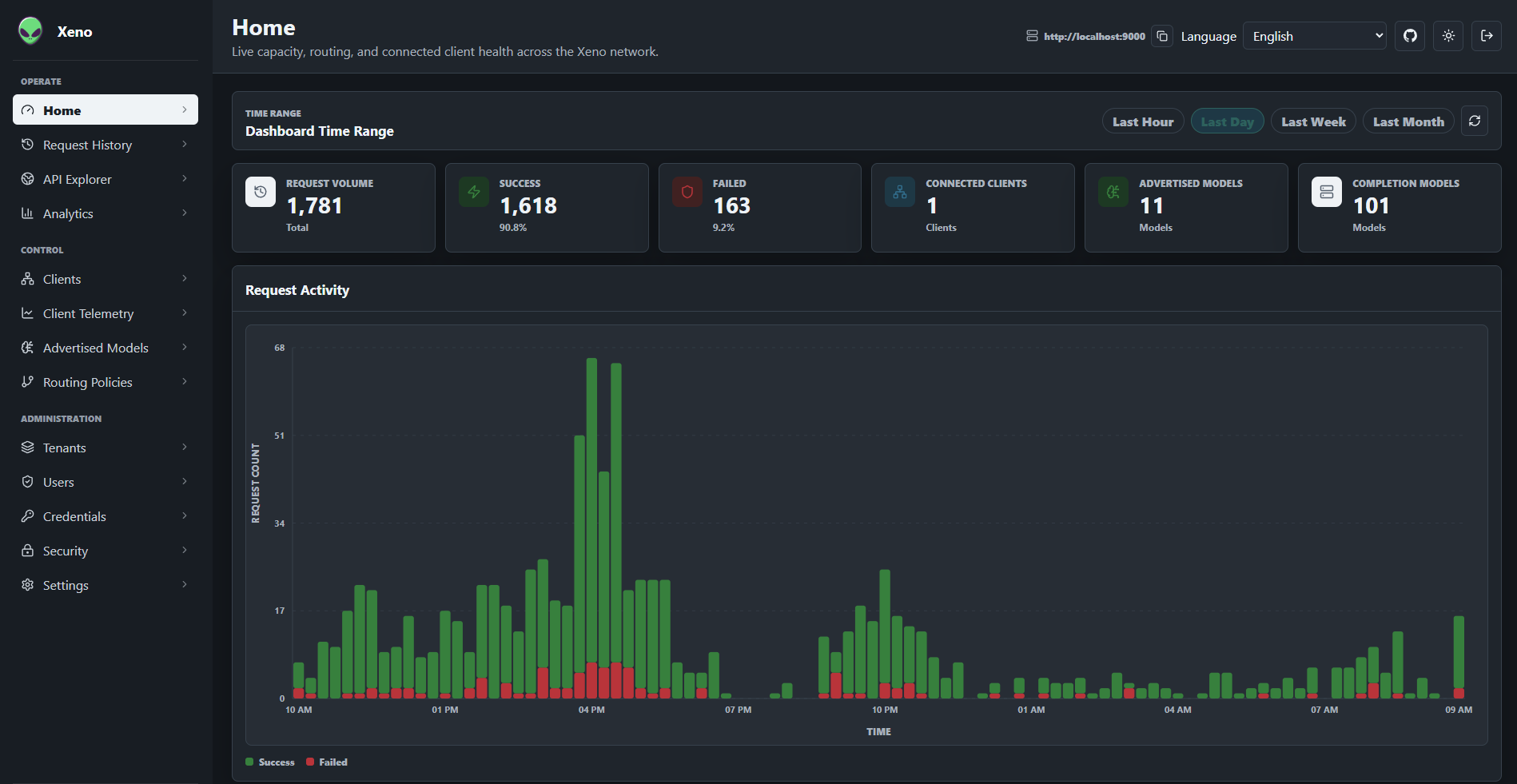
Inspect request history, headers, bodies, stream counters, routing decisions, host metrics, provider telemetry, and analytics.
Who benefits
Xeno is not just a way for smaller machines to borrow a GPU. CPU-only machines, gaming desktops, and serious GPU hosts all advertise what they can serve, then applications use one endpoint while Xeno spreads work to the right places.
| Machine type | What you gain | What you contribute | Best fit |
|---|---|---|---|
| CPU-only | Access GPU-powered models running on other trusted systems. | Serve CPU embeddings, smaller models, utility inference, and background jobs. | Laptops, small servers, classrooms, edge boxes, and users without GPU hardware. |
| Desktop GPU | Burst to larger systems when local gaming-class hardware is too small or busy. | Serve smaller chat models, embedding models, and task-specific inference. | Workstations, home labs, developer desktops, and mixed team hardware. |
| Large GPU | Blast independent inference, embedding, eval, batch, and agent workloads across a fleet instead of one queue. | Serve high-end models while offloading small-model and embedding work to cheaper nodes. | GB10-class workstations, accelerator servers, shared lab hardware, research clusters, and production pools. |
Powerful hosts stay focused on GPU-worthy jobs, then parallelize the rest of the workload across the fleet. Applications keep one API instead of tracking which machine has which model today.
How it works
Deploy Xeno on-premises for full control of security, policy, and usage. Leverage our SaaS platform to participate in a global network of connected machines. Xeno coordinates capacity across your entire fleet, whether it's public cloud, private cloud, servers, edge devices, or workstations.
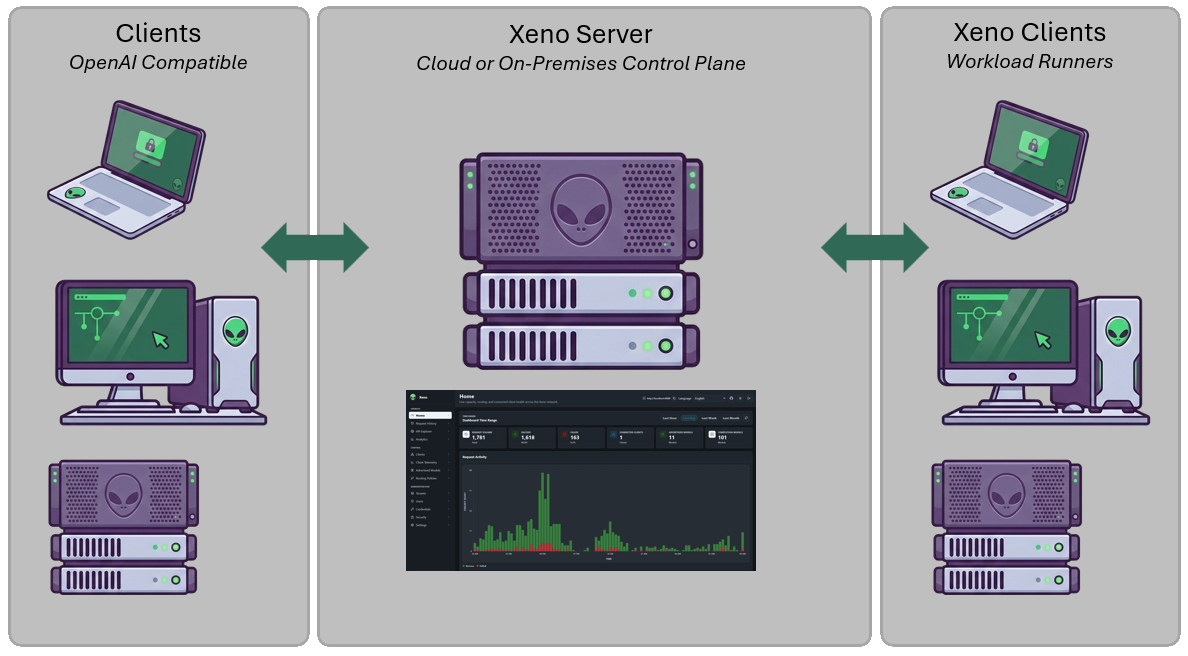
Install the lightweight xeno client on machines with reachable model runtimes or accelerator capacity.
Each client reports provider endpoints, supported models, host health, GPU details, and provider telemetry.
Applications use OpenAI APIs with Xeno, which then authenticates, checks permissions, applies policy, and routes according to your policy.
Operators inspect routing traces, selected clients, timing, token metadata, failures, and fleet utilization.
Leverage Xeno SaaS, your own cloud or private server, and securely manage access, credentials, and tenancy for your fleet.

Deploy internally on desktops, laptops, servers, AI PCs, and give AI applications one governed endpoint for private capacity.

Blend local Ollama or vLLM with OpenAI, Gemini, and compatible endpoints while keeping application code stable.
Dashboards
Full visibility via API or dashboards for both client and server, exhaustive telemetry and capacity management, and model inventory management.
Developer experience
Developers use Xeno like a normal OpenAI-compatible endpoint. Operators can change routing, providers, credentials, and model placement without forcing application teams to chase machine-specific details.
curl http://localhost:9000/v1/chat/completions \
  -H "Authorization: Bearer $TOKEN" \
  -H "Content-Type: application/json" \
  -H "x-tenant-guid: ten_default" \
  -d '{
    "model": "llama3.2:latest",
    "messages": [
      { "role": "user", "content": "Explain an inverted index." }
    ],
    "stream": true
}'import { XenoClient } from '@xeno-control-plane/sdk';
const client = new XenoClient({
baseUrl: 'http://localhost:9000',
bearerToken: token,
tenantId: 'ten_default'
});
const models = await client.listOpenAiModels();
const policies = await client.listRoutingPolicies();from xeno_client import XenoClient
client = XenoClient(
"http://localhost:9000",
bearer_token=token,
tenant_id="ten_default",
)
models = client.list_openai_models()
policies = client.list_routing_policies()using System.Collections.Generic;
using Xeno.Sdk;
using XenoClient client = new XenoClient(
"http://localhost:9000",
bearerToken: token,
tenantId: "ten_default");
OpenAiModelList models =
await client.ListOpenAiModelsAsync();
List<RoutingPolicy> policies =
await client.ListRoutingPoliciesAsync();Use cases
Xeno is for platform teams that need placement, policy, tenancy, and observability around model execution without rewriting every application.
Let trusted contributors attach home labs, offices, classrooms, and partner machines to one governed endpoint.
Give internal teams a single inference API backed by managed GPU hosts, role-based access, and audit-friendly request history.
Expose heterogeneous workstations as one pool while keeping model inventory and machine details visible to operators.
Keep execution near sensitive data or branch users while retaining central visibility and policy control.
On-Premises Quickstart
Xeno is MIT licensed and available on GitHub. The default Docker deployment starts PostgreSQL, initializes the system, and brings up the server and dashboard for local evaluation.
git clone https://github.com/jchristn/xeno.git
cd xeno/docker
docker compose pull
docker compose up -d

# Dashboard: http://localhost:9100
# API:       http://localhost:9000
# Swagger:   http://localhost:9000/swagger
Cloud Quickstart
Skip the infrastructure. Xeno Cloud is a managed control plane that connects your machines into one governed, OpenAI-compatible fleet, then coordinates capacity across a global network of connected machines. Get central identity, routing policy, live telemetry, and dashboards without operating the server yourself.